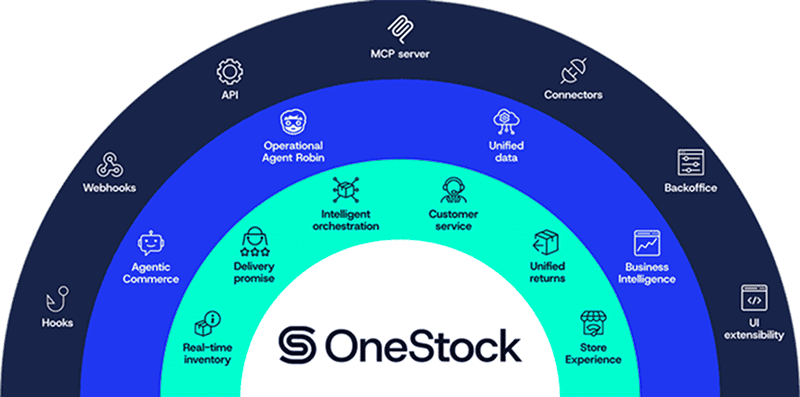
OneStock Backoffice
Configure and control your OMS
Configure, govern, and scale your order management system with confidence. The OneStock Backoffice provides a secure, self-service control environment designed to support complex omnichannel operations while ensuring operational safety, traceability, and strict access control across test and production environments.

Business teams can configure OMS capabilities without code or the need for IT
Business-led configuration
Configure all core OMS capabilities including inventory views, delivery promises, orchestration rules, fulfillment strategies, workflows, carrier integrations, and return policies without custom development.
Manage environments safely
Separate test, staging, and production environments with controlled configuration migration. Prepare, validate, and test changes in non-production environments before promoting to production, reducing operational risk and ensuring consistent behavior across all environments.
Track configuration versions
Save configuration states at any time, restore previous configurations in case of issues, compare changes across versions, and maintain a full audit trail of configuration evolution. Support safe experimentation, seasonal changes, and rapid rollback in production if needed.
Enforce enterprise security
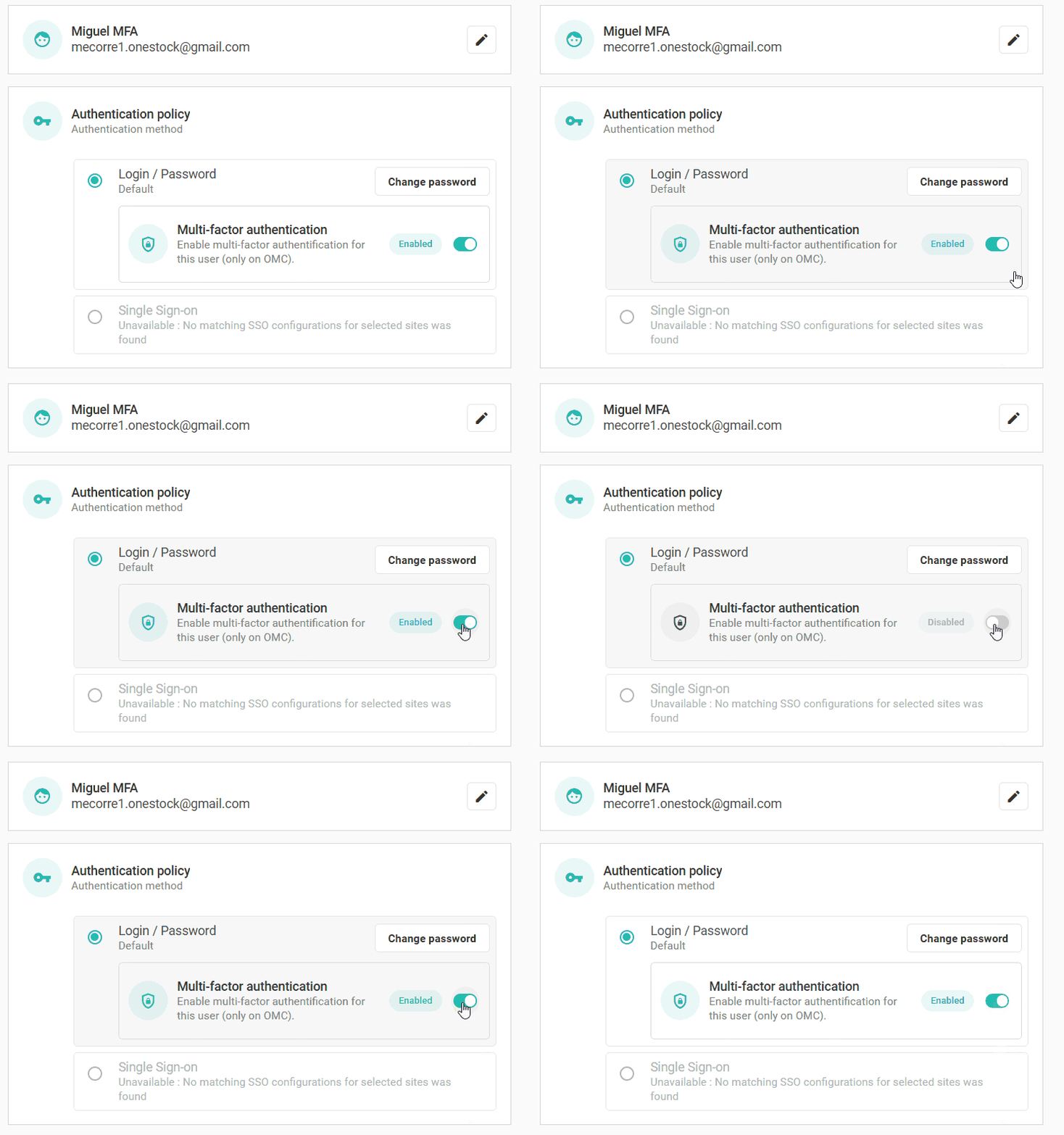
Multi-Factor Authentication (MFA) secures user access while role-based permissions separate responsibilities between business users, administrators, and technical profiles. Protect sensitive configurations against unauthorized access or accidental changes while maintaining operational agility.







Complete platform control
Configure and manage every aspect of your order management solution
Self-service OMS configuration
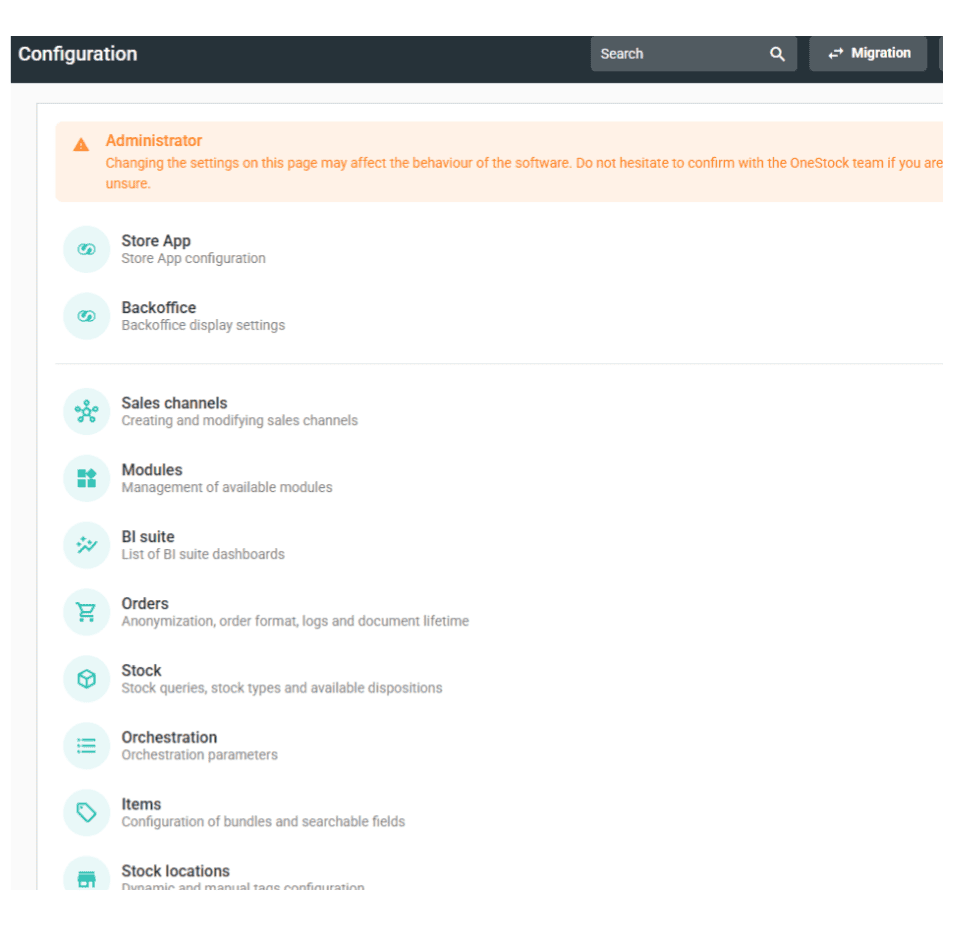
The OneStock Backoffice enables authorized users to configure all core OMS capabilities through an intuitive interface. Business teams can manage orchestration rules, inventory views, delivery promises, fulfillment workflows, carrier integrations, and return policies without relying on IT or development resources.
Environment and migration management
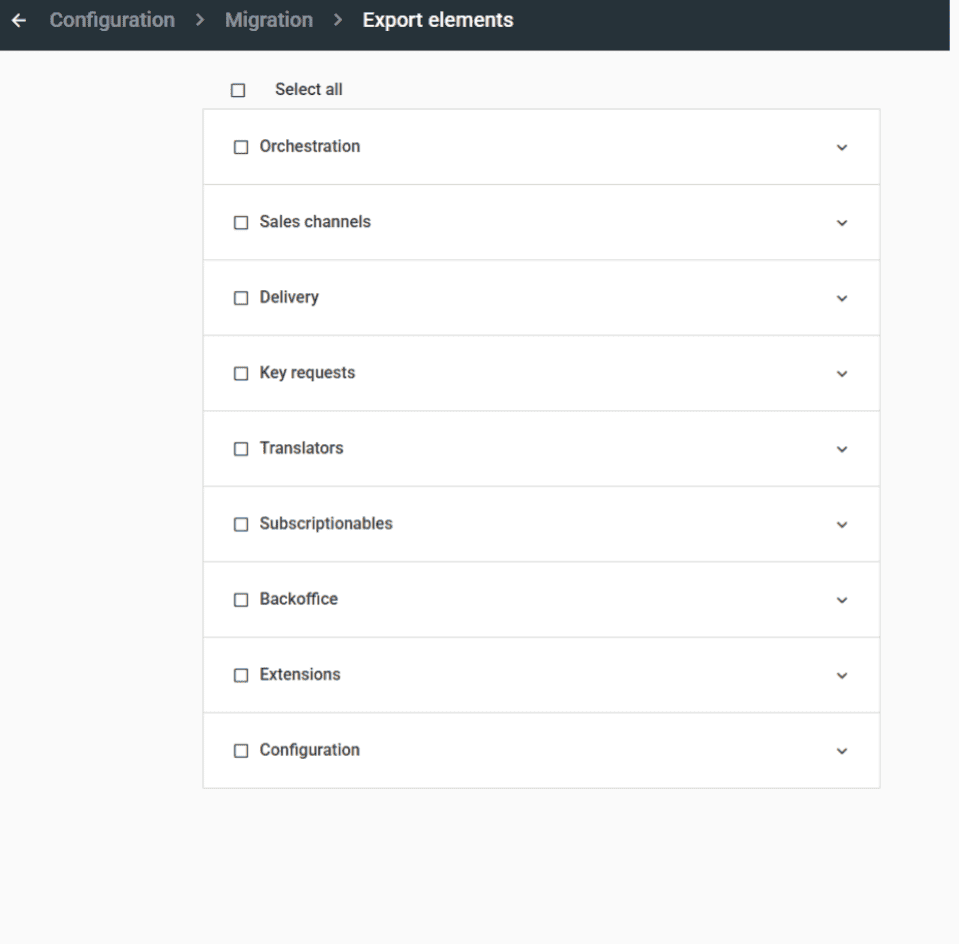
OneStock supports clear environment separation with controlled configuration migration mechanisms. Changes can be prepared and validated in test or staging environments before being promoted to production, ensuring operational safety and consistency while enabling continuous platform evolution without risk.
Configuration history and rollback
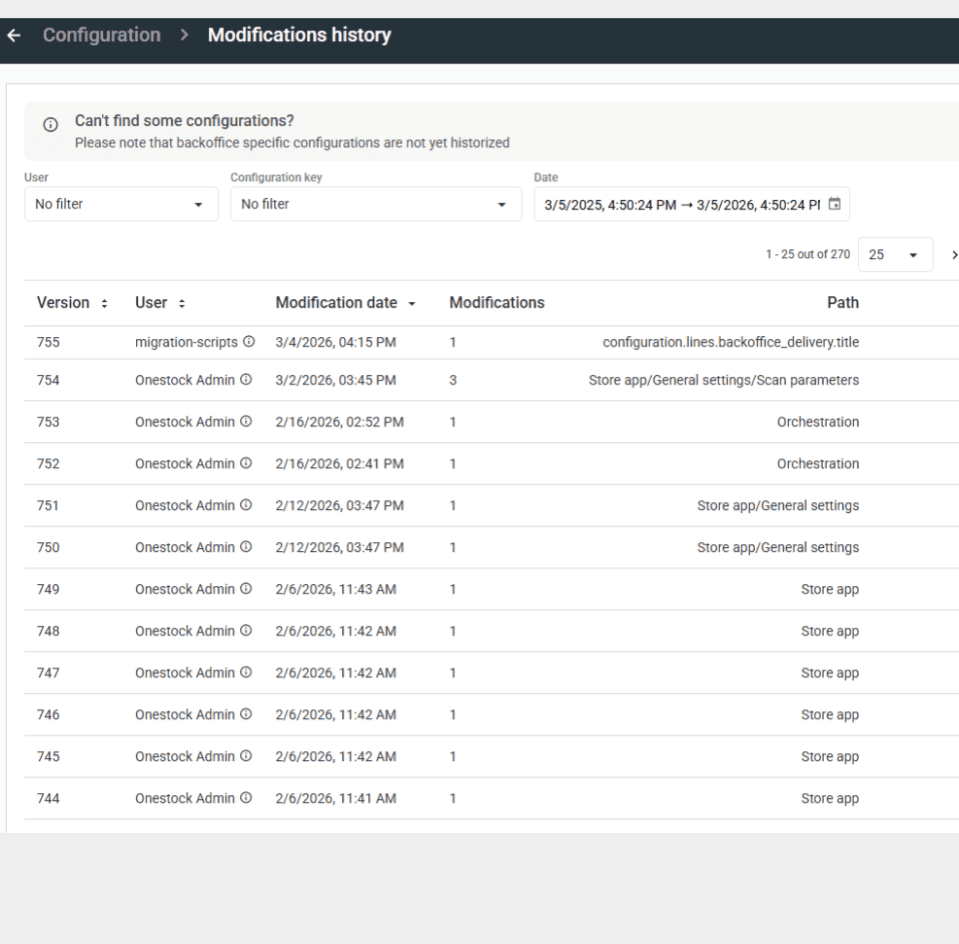
Configuration versioning enables teams to save snapshots, restore previous states, and compare versions. Every configuration change is tracked with a full audit trail, supporting compliance requirements while enabling safe experimentation, A/B testing, seasonal adjustments, and rapid rollback capabilities when needed.
Security and access control
Enterprise-grade security protects the Backoffice through Multi-Factor Authentication and granular role-based permissions. Access controls separate responsibilities across business users, administrators, and technical profiles, ensuring sensitive configurations remain protected while enabling operational agility and collaboration at scale.
The OneStock admin back office in action
Seasonal strategy adjustments
Adapt orchestration rules for peak seasons, sales periods, or promotional events. Configure rules to prioritize store stock clearance, adjust shipping cost thresholds, or enable express delivery options, then restore standard configurations post-season, all without development cycles or technical support.
Multi-country expansion
Configure country-specific settings for inventory views, delivery promises, carrier integrations and fulfillment strategies. Test configurations in staging environments before rolling out to production, ensuring compliance with local regulations and operational requirements while maintaining global consistency and control.
New channel activation
Launch new sales channels including marketplaces, social commerce, or B2B platforms by configuring channel-specific orchestration rules, inventory visibility settings, and fulfillment workflows. Test integration and behavior in non-production environments before activating for live customers with complete confidence.
Continuous optimization testing
Experiment with new orchestration strategies, delivery promise logic, or fulfillment workflows in test environments. Compare configuration versions, measure impact through Business Intelligence, and deploy winning strategies to production while maintaining the ability to rollback instantly if performance degrades.
How It Works
Access the Backoffice
Secure login with Multi-Factor Authentication and role-based permissions ensures only authorized users can access configuration tools relevant to their responsibilities and scope.
Configure OMS capabilities
Business users adjust orchestration rules, inventory views, delivery promises, workflows, and carrier settings through an intuitive interface without requiring IT support or custom code.
Test in pre-production
Validate configuration changes in test or staging environments to ensure expected behavior before promoting to production, reducing risk and maintaining operational stability.
Migrate to production
Export configuration packages from test environments and import them to production with controlled migration tools, ensuring consistency and enabling rapid deployment.
Monitor and rollback
Track all configuration changes through audit trails, compare versions, and restore previous states instantly if issues arise, ensuring continuous platform evolution with complete safety.
Who can access the OneStock Backoffice?
Access to the OneStock Backoffice is controlled through Multi-Factor Authentication and role-based permissions. Organizations can assign specific grants to users based on their roles—such as super administrators, business analysts, store managers, or support teams—ensuring each user sees only the menus and actions relevant to their responsibilities while maintaining enterprise-grade security.
What can I configure in the Backoffice?
The Backoffice provides complete configuration control over all core OMS capabilities including inventory views and stock allocation rules, delivery promise calculation logic, orchestration and routing strategies, fulfillment workflows and order lifecycles, carrier integrations and shipping configurations, return policies and reverse logistics, and customer service workflows. All configuration is business-driven without requiring custom development.
How does environment management work?
OneStock supports separate test, staging, and production environments. The migration tool allows you to export configuration packages from one environment and import them to another. Only configurations (business rules and settings) are migrated, while master data like stock, orders, and users must be populated separately through environment-specific data flows, ensuring complete control and safety.
Can I rollback configuration changes?
Yes, the Backoffice includes configuration versioning and history management. You can save configuration snapshots at any time, restore previous states instantly if issues arise, compare changes across versions to understand impacts, and maintain a complete audit trail of all configuration evolution. This supports safe experimentation, seasonal changes, and rapid production rollback capabilities.
Is the Backoffice suitable for multi-country operations?
Absolutely. The Backoffice supports multi-country and multi-brand operations with environment-specific settings management. You can configure country-specific orchestration rules, inventory views, carrier integrations, and fulfillment strategies while maintaining global consistency. The platform handles multiple timezones, currencies, and regulatory requirements, with user access controls that can be scoped to specific countries or sales channels.
By business model
By Scenario









Learn how retailers increase availability, streamline fulfilment and grow with OneStock.