By Guillaume Vanbrugghe
Let’s consider a ship from store scenario. An online order arrives, the orchestration engine identifies every store that holds the stock and can meet the delivery promise, and the order is offered to all eligible stores at once. The first store to accept it takes ownership. This model has clear strengths: it is fast, it spreads work fairly across the network, and it gives store teams a reason to compete for fulfillment. However, it also rests on the assumption that someone in the store is looking at a screen when the order lands.
So what happens when nobody is? Real-time push notifications in the OneStock Store App send the alert to the phone or tablet associates already carry, the moment an order lands, so the preparation window is spent preparing, not waiting.
The Challenge of Reaching an Associate Who Is Serving a Customer
In reality, your store associates are rarely at a screen. They are busy serving customers or handling other in-store tasks, which means an order that appears in an app can easily be missed at the precise moment it arrives.
Meanwhile, in-store preparation windows typically run from thirty minutes to an hour, depending on your orchestration rules. If an order sits unnoticed for fifteen minutes, it has already lost between a quarter and half of its window. At peak times, when volume is what justifies store fulfillment in the first place, this friction compounds. One order noticed late is a detail. Forty become a queue.
This becomes harder as the network grows. A store handling three online orders a day can rely on habit. The same store handling forty during a peak week cannot, and neither can a franchise network where operating routines vary from one owner to the next.
In other words, the delay is not in the allocation. It sits between the moment an order is allocated and the moment someone in the store finds out.
How to Overcome the Gap Between Allocation and Action
Real-time push notifications close that gap by changing how the notification behaves. Instead of sitting in the app until someone opens it, an alert – a sound, a vibration or a banner – is sent to the device the associate is already carrying, so they see it whether the OneStock Store App is in front of them, in another tab or behind a lock screen. The alerts use the standard notifications every associate already knows from their own phone, so there is nothing new to learn. Each associate subscribes once from the Store App, and from then on their device is linked to the stores they work in. Targeting follows from that: when an order is offered to a set of candidate stores, it reaches the associates on the floor of those stores, and nobody else.
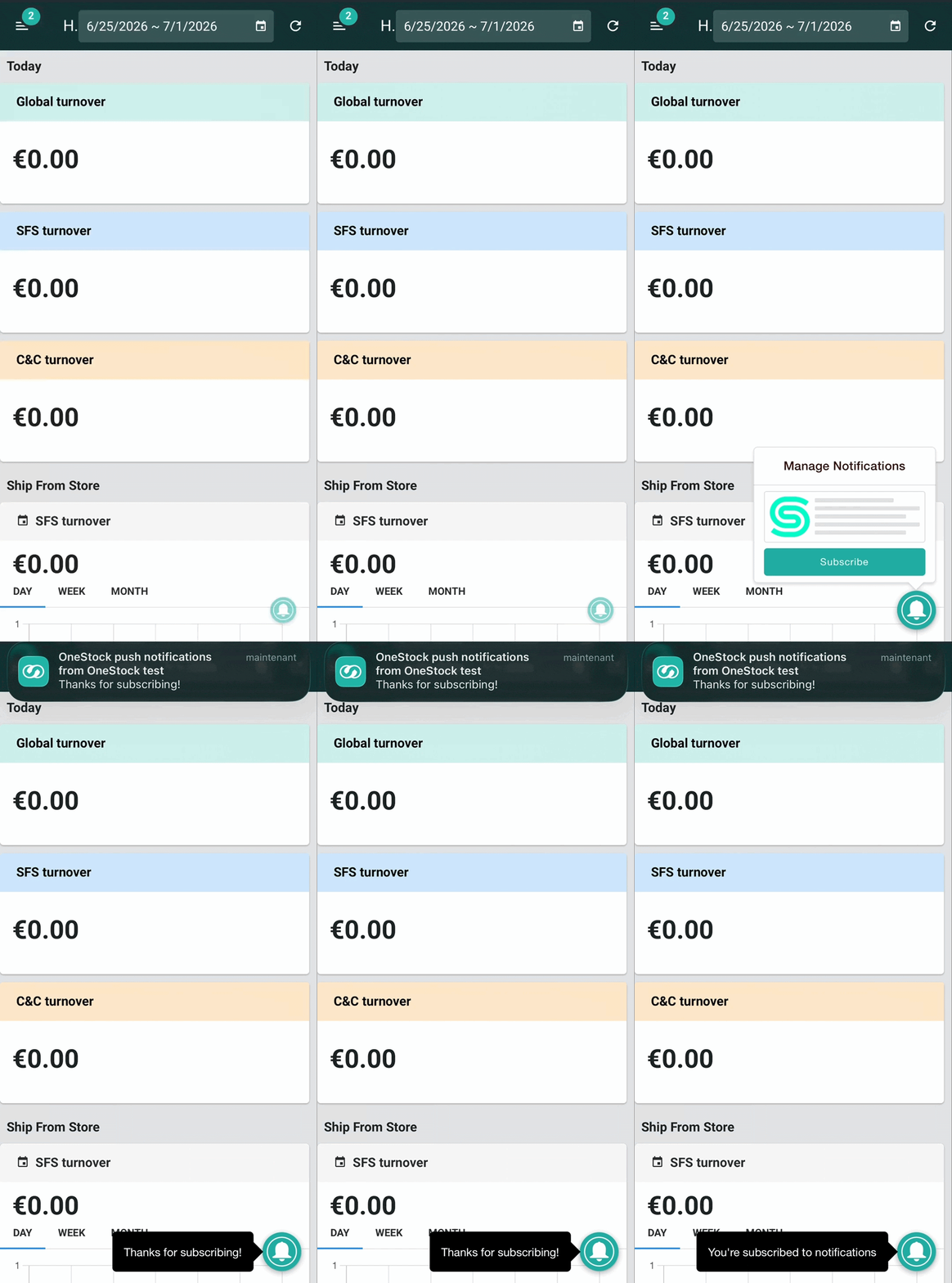
What the notification carries matters as much as where it lands. The message says what needs doing and how urgent it is – for example, “New order to claim” or “3 items to pick in the next 30 minutes” – and, crucially, nothing about the shopper. Customer details stay inside the application, behind the login. An alert can therefore sit on a lock screen in the middle of a shop floor without exposing anything personal.
Four Business Advantages Unlocked with OneStock
1. Turn the Preparation Window Back into Preparation Time
Associates find out the second an order drops or a status changes, rather than at the next manual refresh. The minutes an order would otherwise spend unnoticed go into picking, packing and handing the parcel to the carrier – the same minutes the delivery promise was calculated on.
2. Alert on the Events That Matter to Your Operation
This is not a generic alert feed. Triggers can be set to match your requirements – new orders to claim, cancellations, priority updates or specific status changes – along with the exact wording your associates see. The scope is deliberately narrow: operational events inside the order workflow, not company announcements or marketing messages. That restraint is what keeps the alert credible. When the device buzzes, there is an order waiting.
3. One Habit Across Every Fulfillment Mode
The same mechanism covers click and collect, ship from store and reserve in store. Your associates learn one habit – the device buzzes, you tap, you act – regardless of which omnichannel scenario produced the order. For a network running several of them at once, that is one routine to train instead of three.
4. Nothing Extra for Your Store Teams to Manage
The Store App is a responsive web app your teams reach by URL, so there is no application to install, no device to provision and no separate tool to open. Message wording can be localized by country or region, which matters once your network spans several markets or several franchise partners, each working in their own language.
What Real-Time Push Notifications Look Like in Practice
Take Maria, a sales associate at a European fashion retailer with around 180 stores across four countries, shipping a growing share of its online orders from its stores.
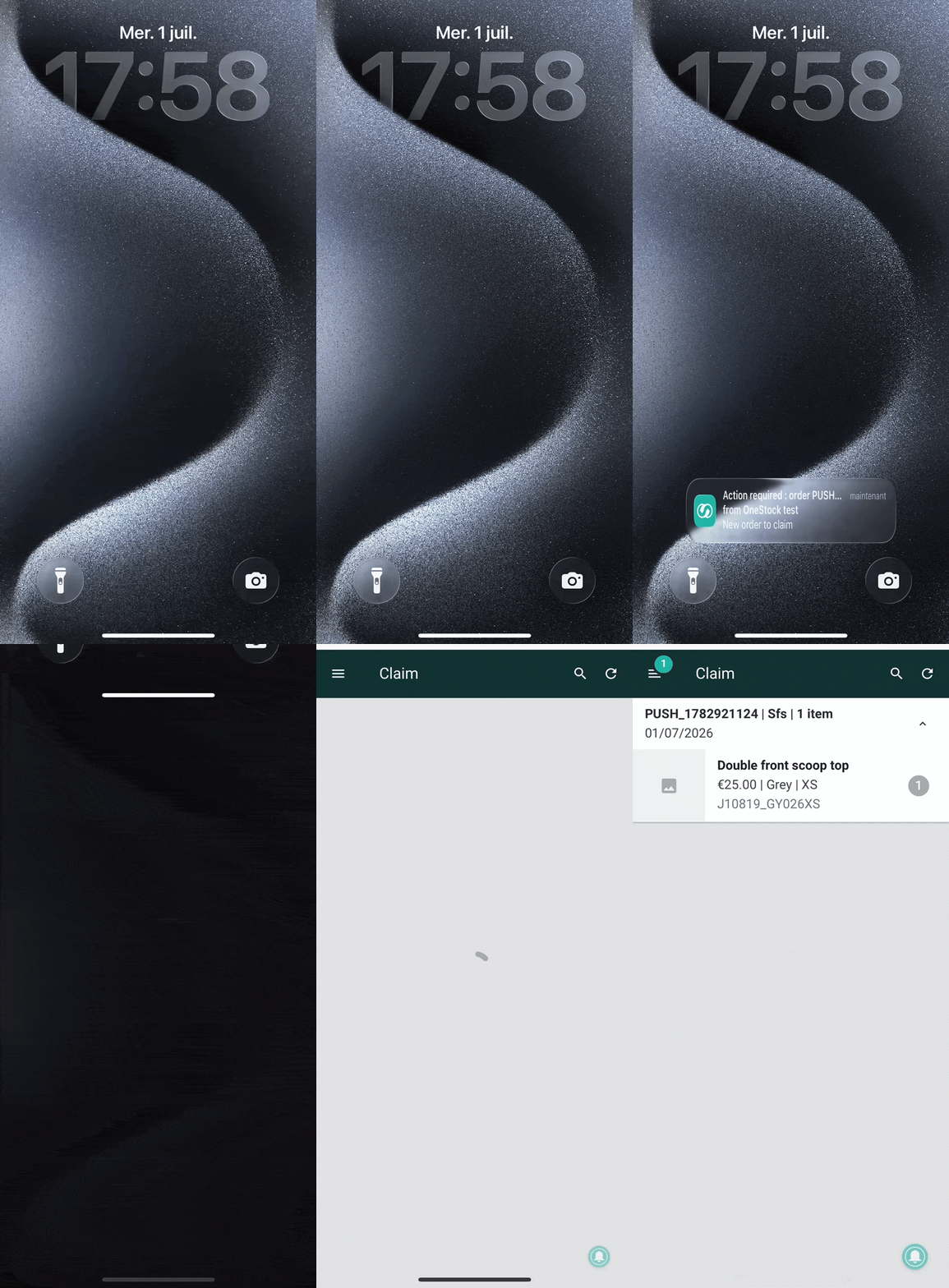
It is 5:58 p.m. on a Wednesday and Maria is with a customer by the fitting rooms. An online order for a top in XS is placed on the website. The orchestration engine identifies every store that can fulfill it within the promised delivery date and offers it to all of them at once, Maria’s store among them.
Her phone vibrates in her pocket: “Action required – new order to claim.” She finishes with her customer, taps the alert and lands directly on the claim screen with the order already open: “One item, size XS, ship from store.” She claims it before another store in the network does, picks it on her way back to the stockroom, and the preparation window starts with all thirty minutes intact, instead of fifteen.
Nothing about the orchestration has changed. What has changed is that the store found out in time to act on it. Across 180 stores during a peak week, that is the difference between fulfillment that depends on who happened to glance at a tablet and fulfillment that runs on a signal.
The gain shows up where the problem was: in the minutes immediately after an order is allocated. Your associates stop watching screens. Orders start moving the moment they arrive. The promise your customer saw at checkout holds, because the store had its full window to keep it.
👉 Get a demo